Publishing Our CLI Application
In this chapter, we'll learn how to publish our CLI application to luarocks.org so it can be used by others.
API Key
To publish a rock, you need an API key. You can find your API key by logging into your account on luarocks.org and navigating to the API Key settings.
From here, you can create a new API key or use an existing one. Here's an example of what the API key should look like:
wXnNFASnbacLCkgSzKb6t9cLSmNcO3ZV9mIaxrPK
Keep your API key safe and secure. It's like a password and should not be shared with anyone. The key we showed above is an example and not a real key.
Two-Factor Authentication (2FA)
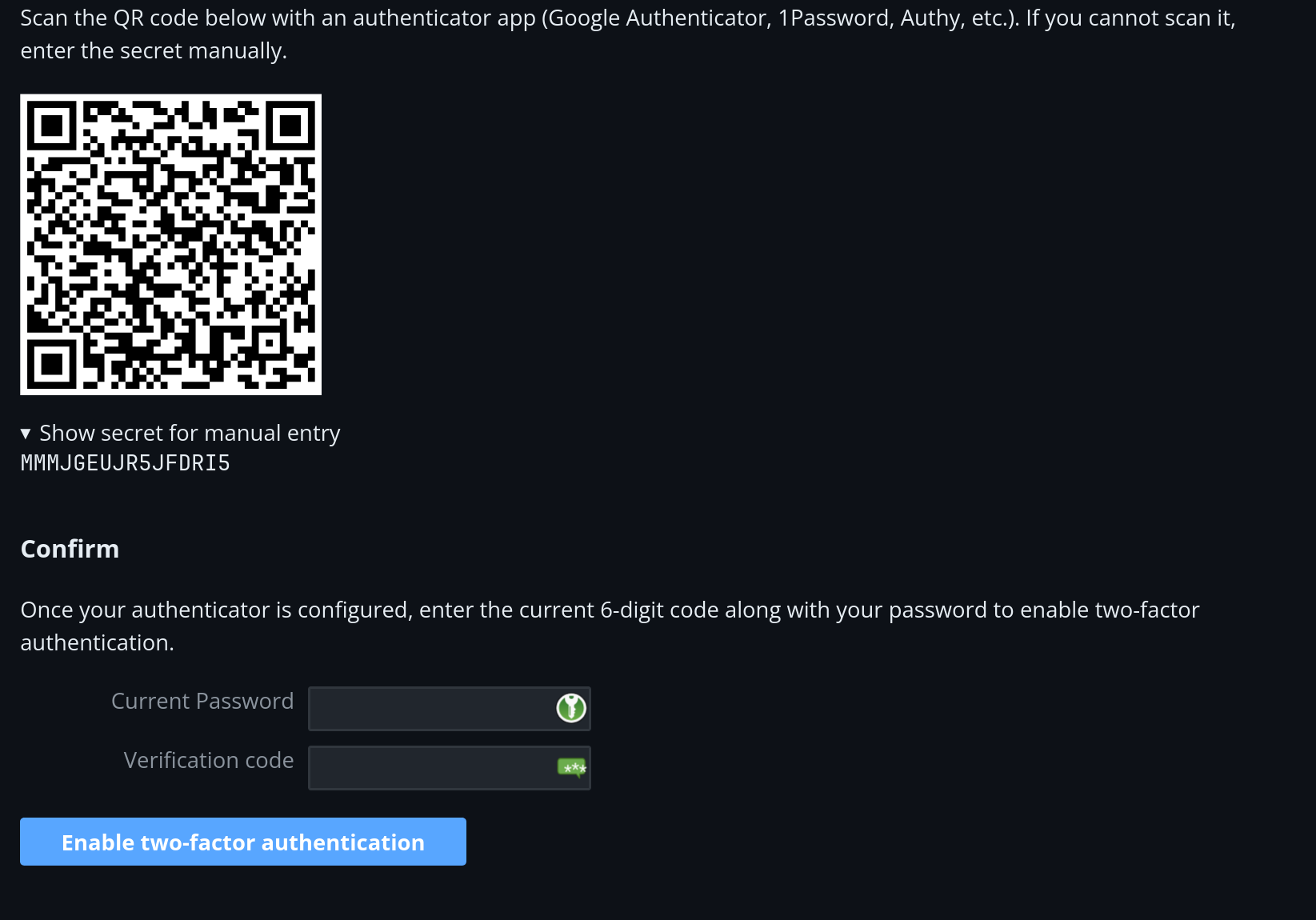
We strongly encourage setting up two-factor authentication for your luarocks account. Head over to the luarocks.org 2FA settings and scan the QR code with your favourite authenticator app.
If you plan on using a CI/CD engine that utilizes Lux for uploads, copy the secret key shown under the QR code. To add the secret to GitHub Actions, refer to this guide.
- Do not sore your 2FA secret in the same place as your API key or login credentials.
- Make sure your CI environment has a way to expose the secret to Lux via
the
LUAROCKS_2FA_SECRETenvironment variable without leaking it. If the secret ever gets leaked, an attacker can impersonate and freely generate 2FA keys on your behalf.
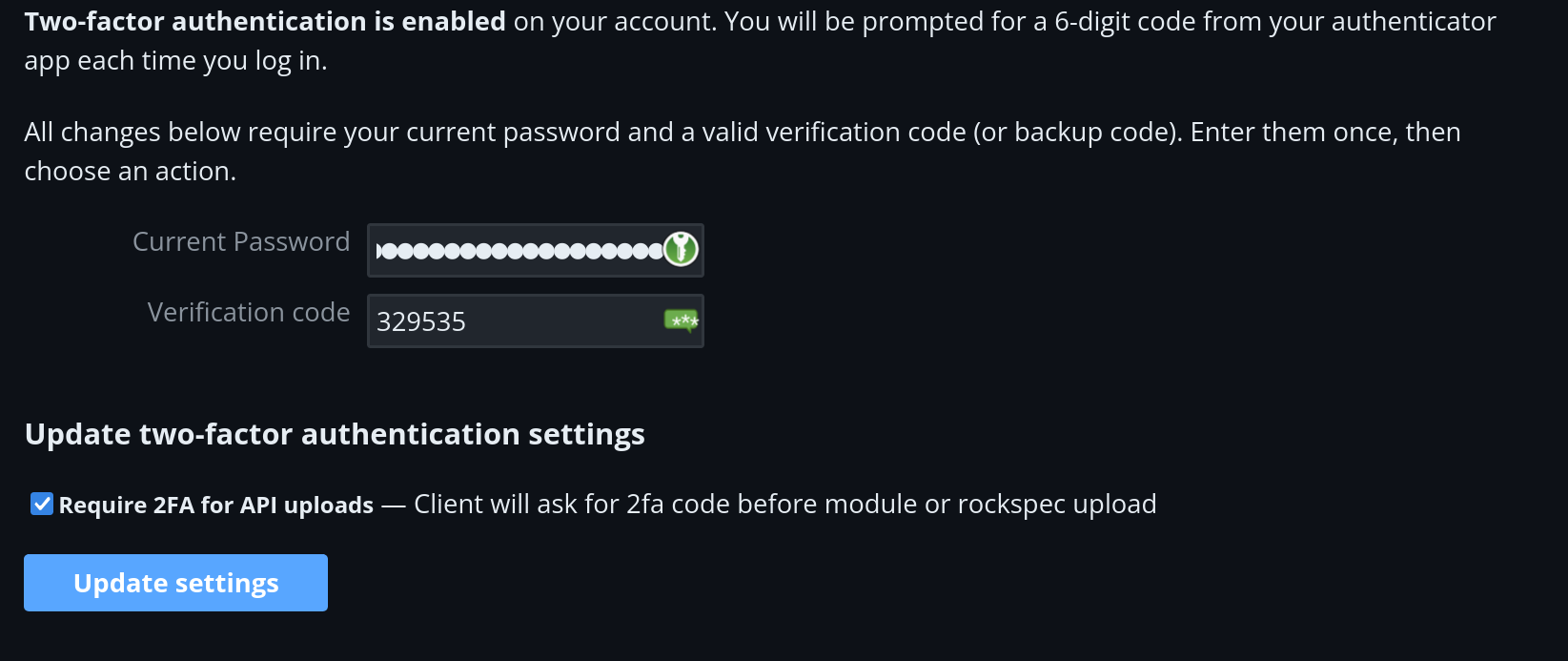
After enabling 2FA, make sure to require it for uploads:
- Check the "Require 2FA for API uploads" checkbox.
- Enter your password and the verification code from your authenticator app.
- Click "Update settings".
Creating a Repository
As we mentioned in the previous chapters, a rockspec is a set of instructions
on how to build and install a rock. One of the fields in our lux.toml, which
isn't provided by default, is the URL source field, which points to the location
of the rock's source code.
When publishing a rock, we need to ensure that the source.url field points to
such a location, this is usually a GitHub repository.
If you haven't already made one, this is a good time to create a repository for your project.
Apart from creating the repository, you must also create a release for the code you published, along with a version number.
Navigate to your Github repository and press "Create new release" on the right sidebar. Afterwards, create a release named v0.1.0.
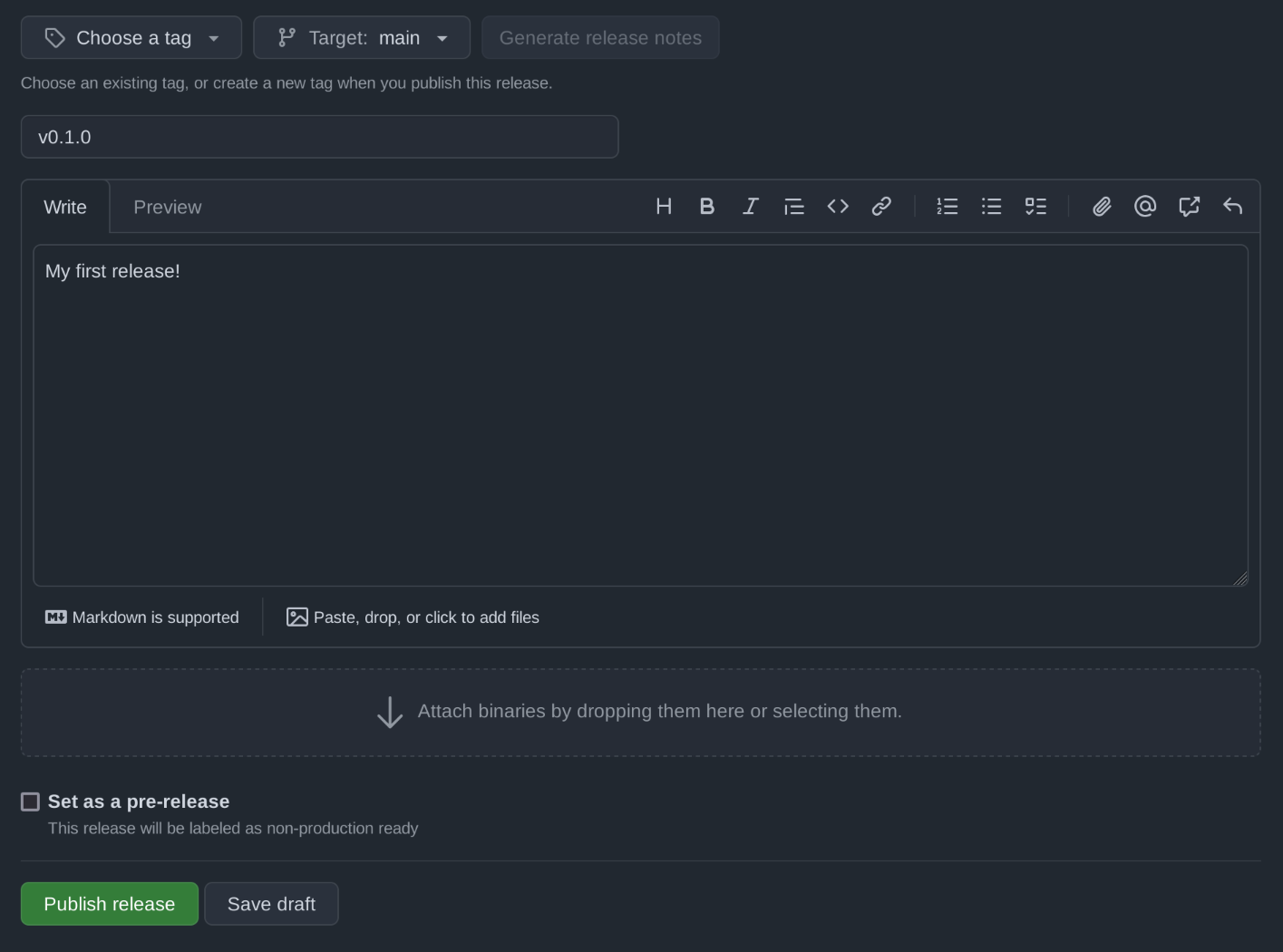
Then press "Publish release". On your Github repository page, you should now see a release tagged v0.1.0!
Adding a Source URL
Here's our updated lux.toml with the source.url field added:
package = "my-lua-project"
version = "0.1.0"
lua = ">=5.1"

[description]
summary = "A sample project."
maintainer = "vhyrro"
license = "MIT"
labels = [ "learning" ]

[source]
url = "https://github.com/my-username/my-lua-project"
tag = "v0.1.0"

[dependencies]
argparse = "=0.7"

[build]
type = "builtin"
Publishing
With the API key in hand, we can now publish our rock. Open your authenticator app and grab the code. Run the following command in your project directory:
LUX_API_KEY=<your-api-key> lx upload --tfa-code "384562"
Lux will now package your project and upload it to luarocks! Feel free to check out the luarocks.org website to see your project listed in the "Recent Modules" section.
We also provide a GitHub action which you can use to automate this.
Distributing an archive or a binary
Now that our package is on luarocks, let's look at two ways to distribute it to users who don't use Lux.
Flat archive
We can bundle our project and all its runtime dependencies into a single .zip:
lx dist flat-archive
Lux creates <package>-<version>.zip in our current directory. Let's
verify it:
ls *.zip
The archive contains our application and all its Lua dependencies (except
build dependencies). Note that unlike a regular Lux install, it doesn't
include lux.loader, so conflicting dependencies between packages are not
supported.
Single binary
We can also compile our project into a standalone executable that runs on
systems without Lua. Since the [run] section in lux.toml points to
our entrypoint, Lux knows what to compile:
lx dist bin
This produces an executable named my-lua-project (or my-lua-project.exe
on Windows). Let's verify it runs:
./my-lua-project "hello world"
Compiling native Lua modules into a static binary is currently supported on Linux only. On other platforms, projects with C dependencies will produce a build error.
Congratulations! 🎉
You have just successfully published your first Lua package! Well done. If you'd like to learn more about Lux, feel free to take a look at our guides.